Finding contacts
On the Outreach path, find the hiring manager, the team and recruiting at the company, or add someone you know.
The first step on the Outreach path. It finds contacts at the company in three groups, all worth writing to:
- Hiring manager: the person you'd report to.
- Team: people close to the work. They're often quicker to reply, and they can pass your name on.
- Recruiting: recruiters and talent people, who can put you in the process.
What you do
- 1
Find contacts
The step's button, Open People, opens your pursuit at its People tab. Choose Find contacts. It's free: Apollo searches for leaders, for people doing the role's own work and for recruiters at the company. They're shown in their groups, worked out from their titles; the most likely hiring manager is marked Likely hiring manager. A person's ⋯ menu moves them to another group, and your choice stays when you find again.
- 2
Or add someone you know
Know someone there already, or Apollo can't look the company up? Add a contact takes their name, title, email and group. It's free and needs no Apollo.
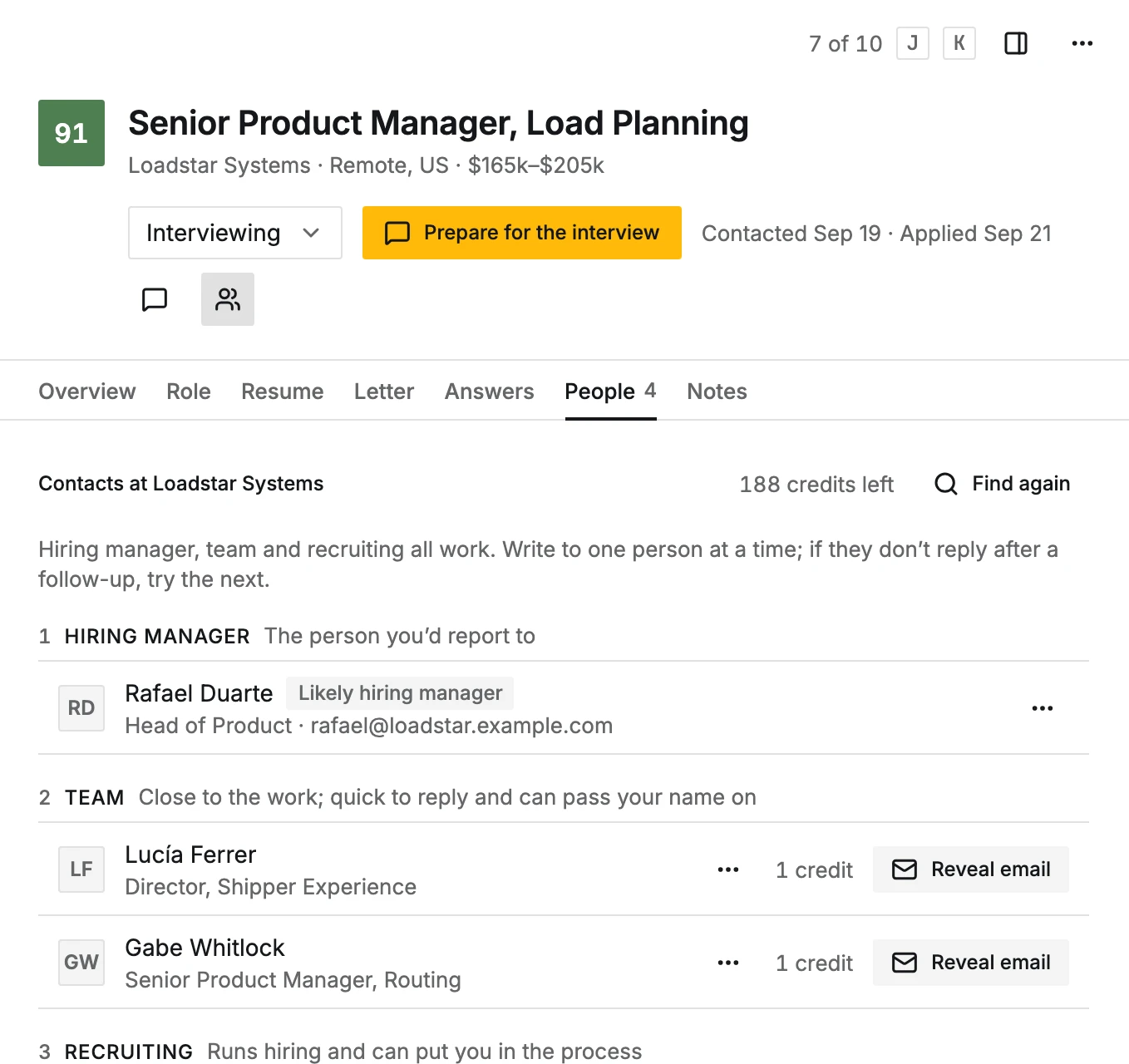
The step is done once the pursuit has a contact, found or added. The people found also show in the step itself, each with Reveal email.