Two paths: Outreach and Apply
Write to the people who hire, apply through the posting, or both. Choose a path for each pursuit; either one finishes your first pursuit.
There are two ways into a role, and they carry equal weight.
- Outreach: write to the people who hire. CareerBot finds the hiring manager, people on the team and recruiters at the company, and drafts a short outreach message from your record. You send it from your own email.
- Apply: apply through the posting with your tailored resume and a cover letter, then mark the pursuit Applied. CareerBot keeps a copy of exactly what you sent.
Most people only apply and wait. A short, thoughtful message to the right person gets you noticed before your application is read, and the team or a recruiter can pass your name on. Doing both is common.
What you do
Once your resume is tailored, the step Choose a path shows two check boxes, Outreach and Apply. Tick one or both. The same choice is on the pursuit's Overview, and you can change it any time.
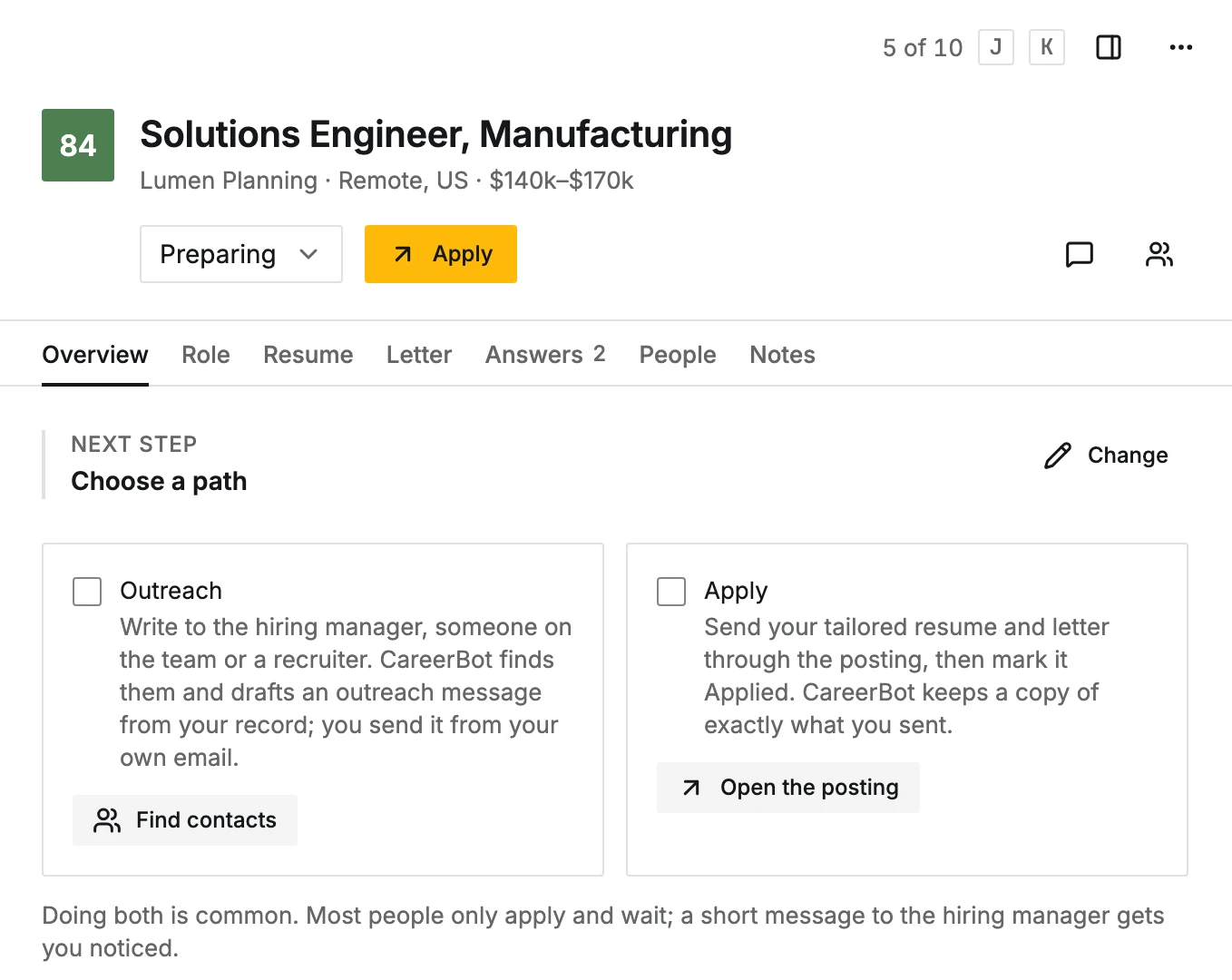
Getting started then shows the steps for your path:
- Outreach: Find contacts, then Send your outreach message.
- Apply: Write the cover letter and answers, then Apply and mark it Applied.
The other path stays in the list as Apply too or Outreach too. Open it to read what it is and add it to the pursuit. Either path finishes your first pursuit; you never have to do both.
A pursuit at a company with no open role (Start outreach on a company's details) takes the Outreach path only.
Writing to someone or applying moves the pursuit along on its own: the first outreach message you mark sent sets it to Contacted, and Mark Applied sets it to Applied. A pursuit can be both.
Next
Finding contacts, or Cover letters and Ask about this role.
Edit this page on GitHub