Settings
Your account, the AI model, budgets, connections (keys, company search, Google Drive and GitHub), updates and your data. Every change saves as you make it.
Address
/settings
The tour: Google Drive
In ⌘K: Take the tour of Google Drive. It lights up each part in turn and never changes anything.
- 01Google DriveKeeps a Google Doc of each resume in a CareerBot folder in your Drive. CareerBot can only see the files it makes and the folder you choose.
- 02ConnectConnect Google Drive opens Google to give CareerBot access. You come back here once it’s done.
- 03ConnectedThe Google account your Docs go to, where the CareerBot folder is and how the last sync went. Sync now writes what changed and makes again any file deleted in Drive; after a failure it reads Try again.
- 04More⋯ opens the folder in Google Drive, moves it with Choose a folder, or disconnects: that asks first, stops syncing and ends access; your folder and its Docs stay in Drive.
Actions
- Sign outSigns you out on this device and clears anything you were writing here that isn’t saved.Free · Sign in again to come back
- Change passwordAsks for your current password, then a new one. Your other devices are signed out.Free
- Change passwordSaves your new password. Your other devices are signed out.Free
- Add a personAdds an account to this copy, with a workspace of its own. You choose the username; you get a temporary password to give them.Free
- CopyCopies the temporary password.Free
- Add a personAdds an account to this copy, with a workspace of its own. You get a temporary password to give them.Free
- Manage paymentOpens Stripe, to change your card, see receipts or cancel.Free
- Use the main modelGoes back to the model every other task uses.Free · Undo with U
- What the model sent backShows the start of the reply the model sent back.Free
- Open folderOpens your CareerBot folder in Google Drive.Free
- Choose a folderOpens Google’s folder picker to choose where the CareerBot folder lives. It moves there with everything in it.Free · Undo with U
- DisconnectStops syncing and ends CareerBot’s access to your Drive. Your CareerBot folder and its Docs stay in Drive.Free · Asks first · Connect again any time
- InviteInvites someone by email, on a plan you choose.Free
- Use the plan’sPuts their allowance back to their plan’s.Free
- Set allowanceSets how much of CareerBot’s AI they can use each month. Paused work picks up when it’s raised.Free
- Change planMoves them to this plan now. An allowance set for them alone stays.Free
- New planMakes a new plan.Free
- SaveSaves the plan. Those on it get the change at once; a paid plan’s Stripe price follows.Free
- SaveSaves who emails come from.Free
- Send me a testSends a test email to your address.Free
- Email the waitlistTells everyone on the waitlist that CareerBot is open, once each, with a link to be taken off the list. Anyone already invited or with an account is left out.Free
- Send a noticeAsks for the day the new Terms apply and what changes, then emails every account once.Free
- Send a noticeAsks for the plan, its new price and the earliest day it applies, then emails everyone paying for it once.Free
- Save keyChecks the key with OpenRouter, then keeps it encrypted.Free
- ConnectChecks the key with Stripe, sets up payment updates, and puts paid plans in Stripe.Free
- ExportMakes one .zip of everything in this workspace, ready to download. Nothing here changes.Free
- DownloadSaves the .zip to this device.Free
- Export againMakes a new .zip of everything as it is now.Free
- Choose another filePuts this file aside, to choose a different export.Free
- ContinuePicks the import up where it stopped.Free
- ContinuePicks the reset up where it stopped.Free · Can’t be undone
- Reset my accountClears your stories, record, goals, companies, companies you like, pursuits, resumes, notes, exports and activity. Keeps your sign-in, settings, spending and, unless you choose, your keys.Free · Can’t be undone
- Export firstCloses this and makes a .zip of everything in this workspace. Download it before you reset: a reset clears past exports too.Free
- Reset my accountClears everything in this workspace. You stay signed in.Free · Can’t be undone
- ContinuePicks the deletion up where it stopped.Free · Can’t be undone
- Delete my accountAsks you to type your account’s name, then deletes your account and everything in this workspace.Free · Can’t be undone
- Delete my accountDeletes your account and everything in this workspace, and signs you out.Free · Can’t be undone
Settings is a list of sections, each with its current state under its name. The chosen section opens beside the list; on a phone the list comes first and a section opens full screen with a way back. Changes save as you make them, and most can be undone with U. Every section is also in ⌘K.
Account
Your name, how you signed in, and your workspace. Sign out signs you out on this device and clears anything you were writing here that isn't saved.
Contact details are at the top of your base resume; every resume and letter uses them. Edit in base resume opens them there.
On a copy you run yourself (self-hosted), Account also shows your Username and Change password (your other devices are signed out). The owner also sees People: everyone who can sign in to this copy, each with a workspace of their own.
- Add a person: you choose their username (2 to 32 letters, digits, dots, dashes or underscores) and get a temporary password to give them. They choose their own password when they first sign in.
- Reset password: makes a new temporary password and signs them out everywhere. Can't be undone.
- Remove: signs them out and removes their account, then deletes their workspace with everything in it, keys, files and Google Drive and GitHub connections included, in the background (Deleting your account). Asks first; can't be undone.
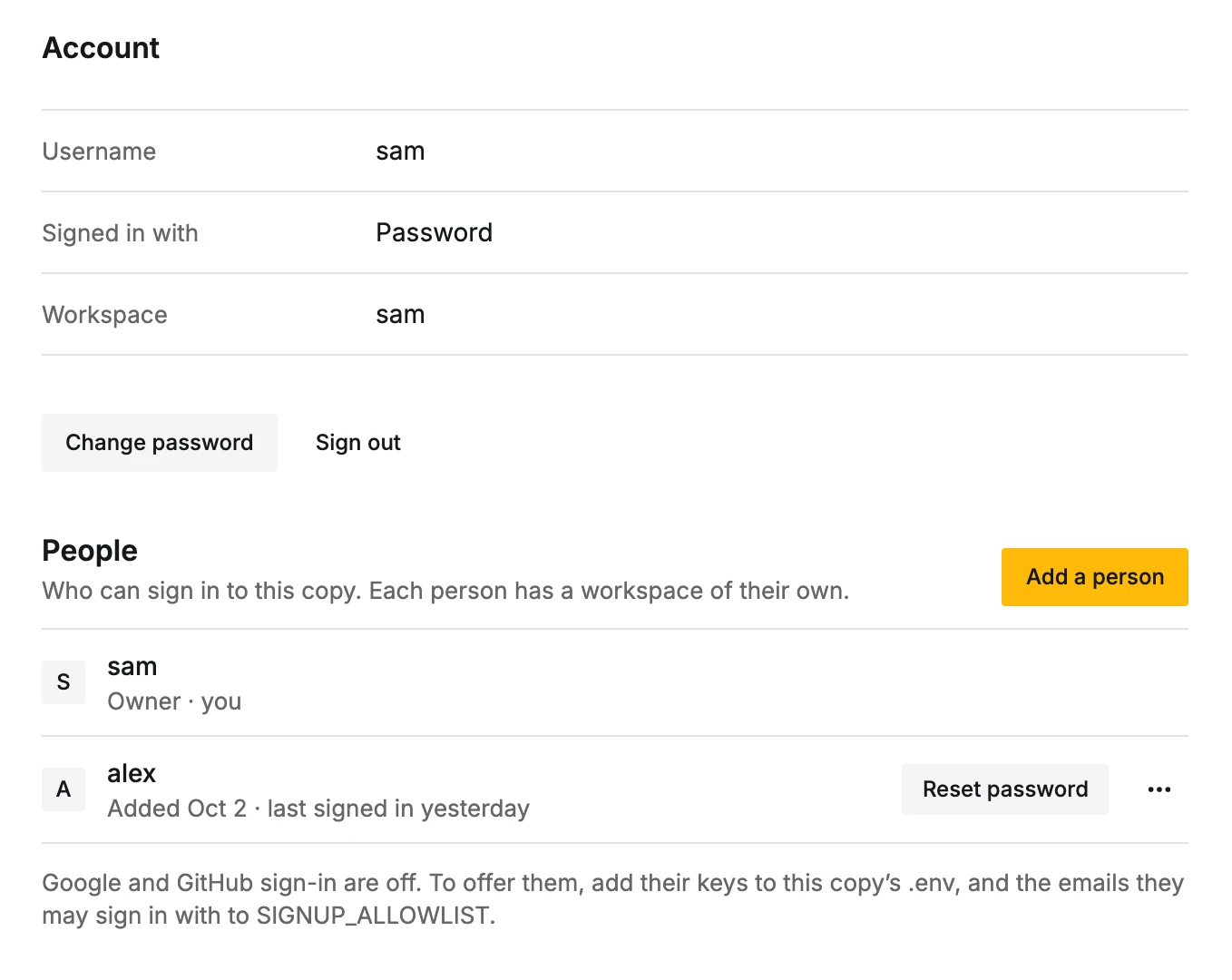
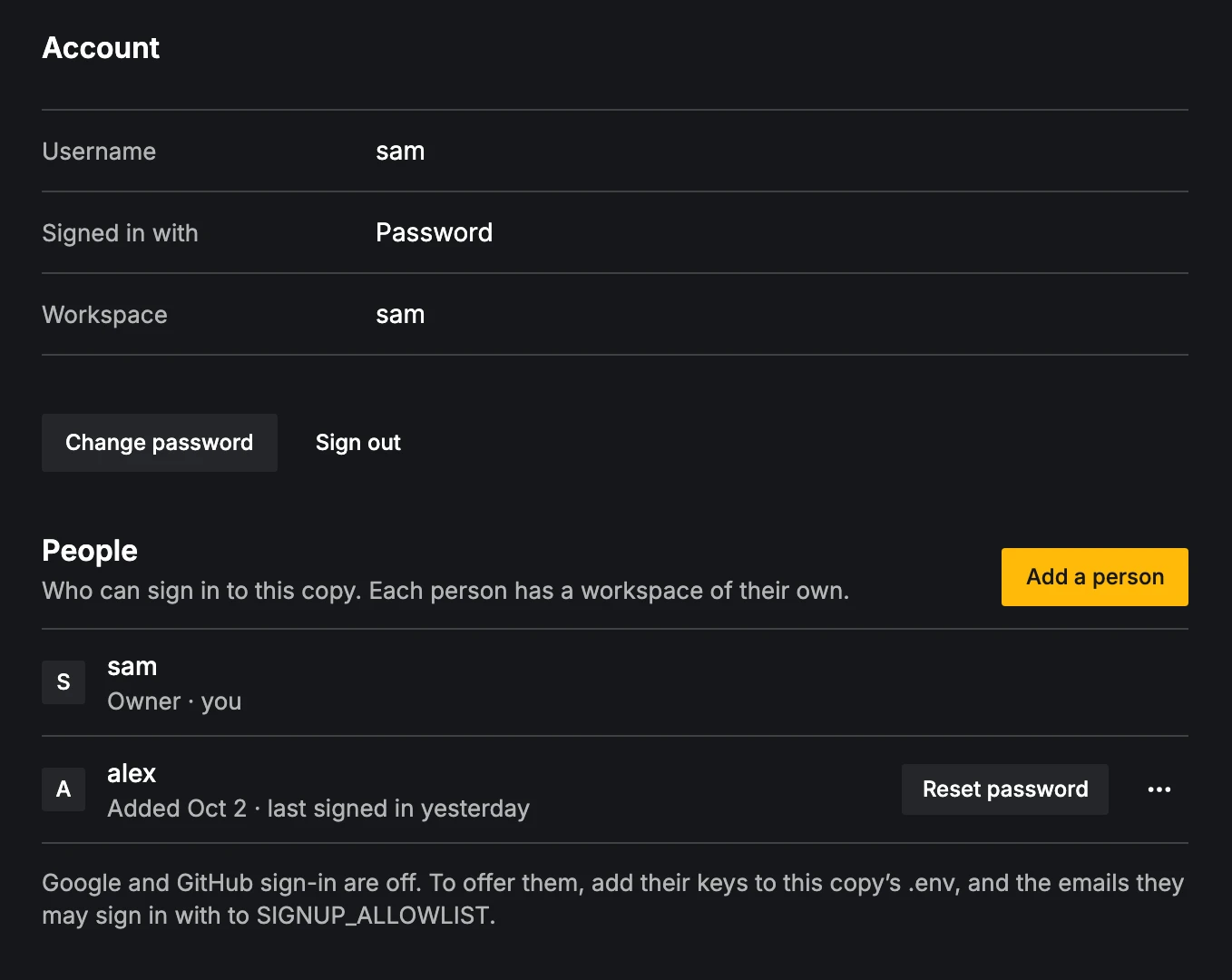
People also says whether Google and GitHub sign-in are on, and that they let in only the emails on the copy's allowlist. See Sign-in and who can join.
AI
- Model: every task uses this model, from reading your stories to writing letters. Choose from a few recommended ones, each with its estimated monthly cost.
- Try it: ask the model one question to check your key and see how it answers, with what it cost.
- Advanced: Tasks with their own model (Choose a model for a task, Use the main model to go back; Sorting roles can take a chat model or a decision model), and A model that isn’t listed (Choose from all models). Choosing the main model says how many tasks keep their own.
- Compare models: run one task (Read a story, Base resume or Insights) with up to four models side by side, each with its estimate before running, then Use this model. Your record and resumes don't change.
See Models and AI tasks.
Budgets and spending
- AI budget: what's spent this month of your Monthly budget. AI work pauses when it's reached and picks up again when you raise it. No AI work runs until you set one.
- On careerbot.dev without your own OpenRouter key: AI allowance, the most CareerBot's AI spends for you each month. Your Monthly budget can only lower it. When it's used up, a note offers Ask for more and Add your own key (more).
- Apollo credits: credits used this cycle, and what's left in your Apollo plan. Credits set aside each month: 0 lets CareerBot use whatever is left in your plan, never more.
- Automated Apollo work: On, Only when I ask or Paused. On lets CareerBot find companies, their details and job postings on its own, within the credits above.
- Open Reports for spending by month, task and pursuit.
Connections
Three groups.
AI
OpenRouter key (pays for every AI task; optional on careerbot.dev, where CareerBot's AI is included up to your allowance).
Companies
- Finding companies: Apollo, Apollo + AI or AI only.
- Apollo key (optional: finds companies, their details, job postings and people; shows the credits left this cycle; without it, companies are found by a web search).
- Brave Search key (optional: finds a company's job board when its website doesn't link one, and searches job boards for companies hiring now).
- Job postings from Apollo: when a company has no public job board, ask Apollo for its postings (about 1 Apollo credit per company, while automated Apollo work is on).
Keys show masked. Add key or Replace checks the key first; the old one keeps working until the new one is checked. Remove key asks first and stops that work until you add a key again.
Which companies searches look for (companies you like, industries, checking against your goals) is in Companies, ⋯ > Search settings. See Companies.
Resumes and projects
Google Drive keeps a Google Doc of each resume in a CareerBot folder in your Drive. CareerBot can only see the files it makes and the folder you choose.
- 1
Connect
Connect Google Drive opens Google to give access. You come back here once it's done.
- 2
Sync
Sync now writes what changed and makes again any file deleted in Drive. After a failure it reads Try again.
- 3
Check the folder
In ⋯, Open folder shows it in Drive; Choose a folder moves it, with everything in it.
⋯ > Disconnect asks first, stops syncing and ends access; your folder and its Docs stay in Drive.
GitHub shows whether it's connected; Open Projects to connect it and choose repositories. On a copy where GitHub isn't set up yet it says Not set up on this copy yet., and the copy's owner gets How to set it up (GitHub repositories).
Reminders are in Pursuits, ⋯ > Reminders. See Pursuits.
Updates
Only on a copy you run yourself, and only for its owner. Once a day the copy checks careerbot.dev for a newer version of CareerBot; when one is out, Updates says so (CareerBot 0.8.0 is out, say) with your version, each newer release's notes, and the steps to update for the way your copy runs (Docker Compose, Coolify, Dokploy or Cloudflare). When any release between yours and the newest has steps you have to do, it says Read before updating: do them as you update. A line on Today says the same and opens Updates.
Check for updates turns the daily check off or on. Nothing about you or your copy is sent, but like any web request
it shows careerbot.dev the IP address of the server your copy runs on; UPDATE_CHECK=off where the copy runs turns it
off too. The changelog has every release; after an update, a note says what version you're on with
What’s new.
Your data
Export makes one ZIP of everything in your workspace, to keep or to bring into another copy of CareerBot, and Import brings such a ZIP into an empty workspace. Keys, connections and your password stay behind. Delete account deletes your account and everything in your workspace, once you've typed its name. What's in an export, how importing works, and what deleting takes: Your data.
Old addresses
Links to sections that moved still work:
/settings?section=keysand/settings?section=driveopen Settings, Connections./settings?section=companiesopens Companies with Search settings open./settings?section=remindersopens Pursuits./settings?section=contactopens Settings, Account.