Record
What's true about your career, which every resume is written from. Your stories, roles, projects, skills, tools, certifications, breaks and insights.
Addresses
/record/story/record/roles/record/projects/record/skills/record/tools/record/certifications/record/breaks/record/insights
The tour
In ⌘K: Take the tour of Record. It lights up each part in turn and never changes anything.
- 01RecordWhat’s true about your career, which every resume is written from: your stories, roles, projects, skills, tools, certifications, insights and breaks. Only what you approve goes on resumes.
- 02TabsSplit the list by kind or status. Rejected, or Removed in Breaks, keeps what you turned down with why, so you can restore it.
- 03The listEverything on this page. Open a row to see it beside the list; J and K move through the list and Esc closes what’s open.
- 04New story or noteStarts a story to write in, or a quick note for something smaller. N writes a new story and ⇧N a quick note.
- 05The open itemThe one you opened, with its actions beside the title. Where something was proposed, Approve adds it to your record, Edit corrects it and Reject keeps it out at once; Reject with a note, in ⋯, asks why first. U undoes.
- 06ReadReads the story for roles, facts and context for your record; what it costs shows beside it. What it proposes waits in Review and on the Proposals tab. Save your changes before you read.
- 07TalkType by speaking: your words appear in the story as you say them, and save when you stop. ⇧T starts and stops.
- 08Built onWhere this came from: the words and facts in your record it’s built on. Each one opens where it lives.
- 09MoreThe page’s other actions, each with what it does and what it costs.
Actions
- SaveSaves the break to your record, approved as you gave it.Free
- EditChanges its months or its reason.Free
- Add a factAdds a fact about this break to your record.Free
- Add a noteAdds a dated note to this break.Free
- Undo approvalTakes the break back to review, so resumes stop using it.Free · Undo with U
- RestorePuts the break back in your record, approved.Free · Undo with U
- RemoveTakes the break out of your record and every resume.Free · Undo with U
- Remove with a noteTakes the break out of your record and every resume. Asks why first.Free · Undo with U · Why steers what’s proposed next
- Copy linkCopies a link to this break.Free
- OpenOpens the break.Free
- Add as a career breakStarts a break with these months filled in.Free
- Copy the insightCopies the insight’s words.Free
- SaveKeeps the insight in your wording, approved.Free · Undo with U
- Open ReviewOpens the insights waiting for you to approve or reject.Free
- KeepLeaves GitHub connected.Free
- Change the reasonChanges why you rejected it.Free
- Add a factAdds a fact about this project to your record.Free
- Undo approvalTakes the project out of your record and back to review.Free · Undo with U
- Add a factAdds a fact to this role in your words, approved as you write it.Free
- Add contextAdds your own context to this role, to sharpen its facts.Free
- Add a break before this roleStarts a break with the months between this role and the one before.Free
- Copy linkCopies a link to this role.Free
- Undo approvalTakes the role back to review; resumes stop using it.Free · Undo with U
- Delete role…Deletes the role with its facts, context and notes.Free · Asks first · can’t be undone
- Both are rightYou held both jobs at once. Neither changes, and this isn’t asked again.Free · Undo with U
- Record is rightKeeps your record as it is. This question isn’t asked again.Free · Undo with U
- Story is rightChanges your record to what the story says.Free · Undo with U
- NeitherType what’s right; your record takes it.Free · Undo with U
- Open storyOpens the story this was read from.Free
- SaveChanges your record to what you typed.Free · Undo with U
- SaveKeeps this with the role; rewrites of its facts use it.Free
- Add contextAdds something true about this role in your words; rewrites of its facts use it.Free
- Change whyChanges why you rejected it.Free · Undo with U
- EditYour wording, approved as you write it.Free
- Offer againOffers the two as the same thing again, to merge or keep both.Free
- Goals storyOpens your goals story, which lives in Goals.Free
- SaveSaves what you wrote as a new version.Free · Earlier versions stay in Versions
The Record is the ground truth of your career. You tell your stories in your own words; CareerBot reads them into roles and facts; you approve what's right. Only what you approve goes on resumes.
Record has eight pages, under Record in the sidebar: Story, Roles, Projects, Skills, Tools, Certifications, Breaks and Insights. They share one layout: tabs that split the list by kind or status, the list, and the open item beside it. A rejected tab (Removed on Breaks) keeps what you turned down, with why, so you can restore it. On a phone the list shows alone and an item opens full screen.
Story
Your stories and quick notes. The tabs are All, Stories and Notes.
- 1
Start one
New story (N) opens a story to write in. Quick note (⇧N) is for something smaller: one more thing about a role, a project or a result.
- 2
Write or talk
Write in place; it saves when you stop. Talk (⇧T) types as you speak, with your browser's own speech recognition; nothing is recorded. Where the browser can't listen, the screen points to your device's dictation.
- 3
Read it
Read reads the story for roles, facts and context, at the cost shown. What it proposes waits in Review and on the Proposals tab. After you change a story, it reads only what changed. Read again… asks what it missed first.
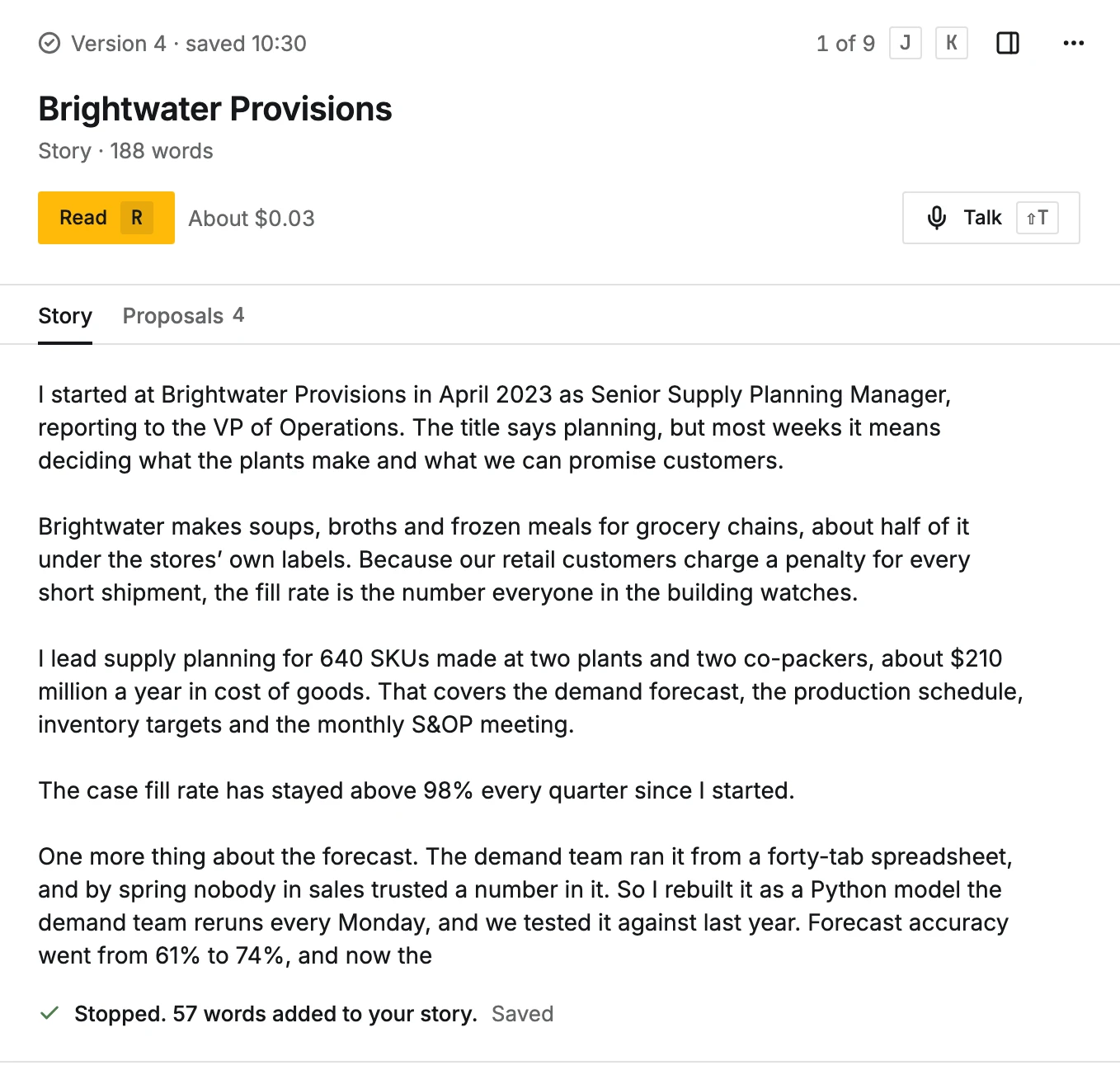
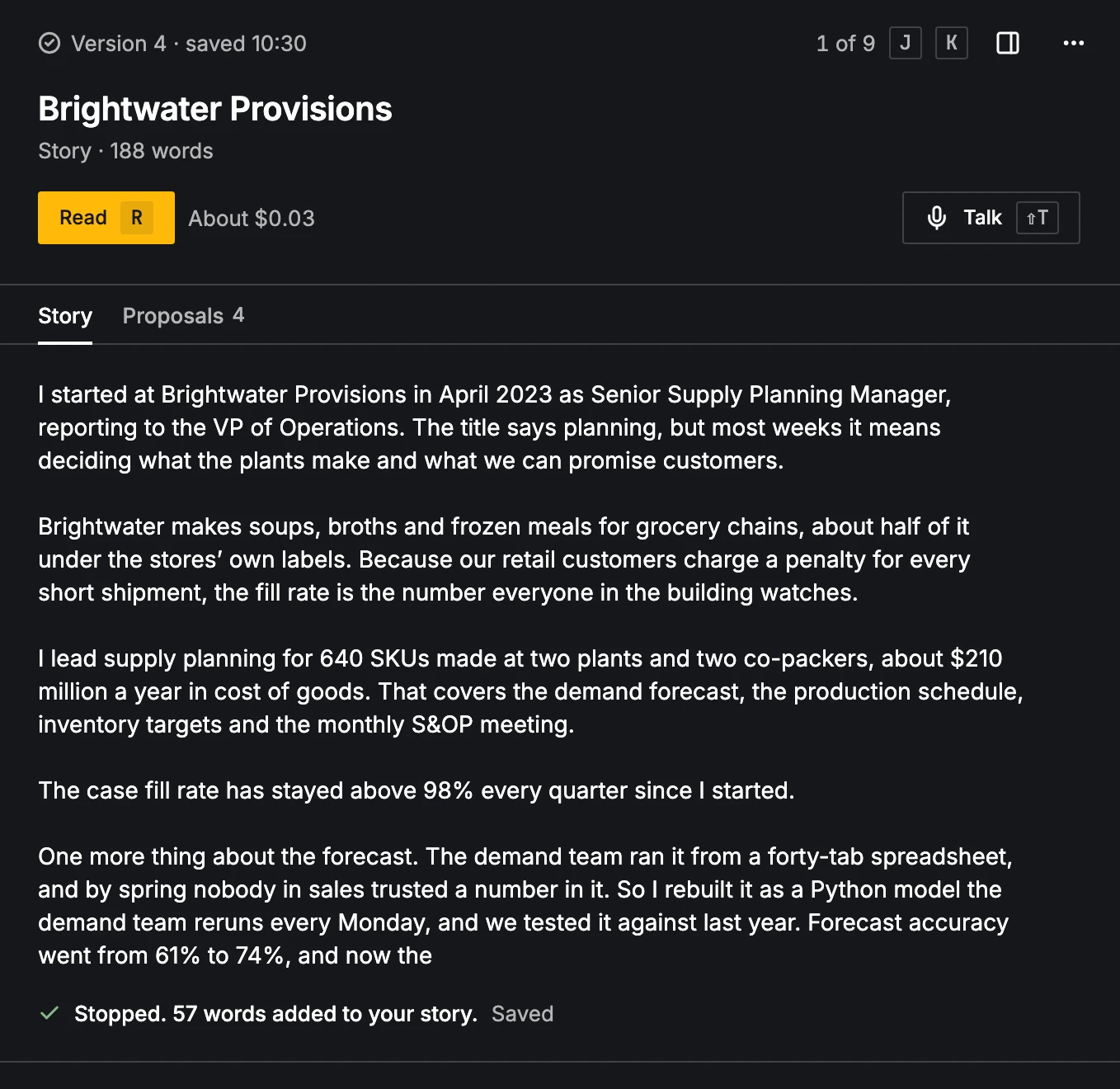
Each save keeps a version. Versions (⇧V) opens every saved version, to compare two or Restore one. The story's ⋯ menu also has Link to a role, Reject (what came from it is left out of your record, at once, and Undo takes it back; Reject with a note asks why first) and Delete (asks first; the facts it gave stay, each marked for you to Keep it or Reject it). Your goals story lives in Goals, not here.
Telling a job well takes time: 20 minutes or more is normal. See How to tell your story.
Roles
The Timeline of your roles, with career breaks as gaps and linked projects inside their role. A role shows its Facts, Context, Sources and History.
- On each fact: Approve, Edit (approved in your words), Reject, Undo approval, and Add context or rewrite to ask for a rewrite with your note. Reject takes effect at once, and Undo takes it back; Reject with a note in the fact's ⋯ menu asks why first. A fact opens in a third pane (a drawer on medium screens, a sheet on a phone) with its sources and history. When a rewrite waits there, Keep current keeps your wording at once; Keep current with a note in its ⋯ asks why first.
- Add a fact (F) and Add context (X): something true about the role that its facts don't say; rewrites of its facts use it.
- Same work and Looks like the same fact pairs show in place, with Connect / Keep separate and Merge / Keep both.
- A Disagreement between a story and your record asks you to choose: Record is right (1), Story is right (2) or Neither (3). Two jobs at different employers whose dates overlap ask Both are right, Fix end date or Fix start date.
- A role whose official title your story didn't give goes on resumes under what you call it, and says so until you Edit it to give the official title.
- On resumes (on the role's Facts tab, or ⋯ > On resumes): Own entry, Fold into a role (the role before or after it widens its dates to cover it) or Leave out. A folded role can Leave its lines out of resumes, so only its title and dates show inside the role it folds into. Every resume starts from this, and each can change it in Layout. A change marks your resumes Changed since it was written; Write again gives the space to the roles that show. Free; choose another option, or U, to undo.
- Add role adds one you held yourself, approved as you give it. Delete role… asks first.
More for Roles has Find duplicates, Check for disagreements and Find same work, each using your AI budget.
Projects
Projects read from your GitHub repositories, each with its facts, its role and how it shows on resumes. Connect GitHub gives CareerBot read-only access to the repositories you choose. Read repositories reads the ones you pick, at the cost shown; file contents are sent to the AI model you chose. Only new facts are added. On a project: Approve, Reject, Link to a role, Show on resumes / Leave out of resumes, Read again and Find same work. Reject takes effect at once and sets the project's unreviewed facts aside; Undo takes it back, and Reject with a note in the ⋯ menu asks why first. Disconnect GitHub asks first; your projects stay.
Skills, Tools and Certifications
Three pages that work the same way. Gather (or Gather again) reads your approved roles, projects and facts and proposes each skill, tool or certification once, one thing per item, with skills in Title Case (Radio Advertising, Customer Onboarding). A name you edit stays exactly as you write it. It also runs on its own when you finish reviewing a story or project; the decision that starts it says so in its tooltip, with about what it costs. An empty page shows the estimate beside Gather. Tabs: All, Proposed, Approved, Rejected.
- Approve, Edit (name, group or kind) and Reject. Reject and Keep both take effect at once, and Undo takes them back; Reject with a note (or Keep both with a note) in the ⋯ menu asks why first.
- Looks like a duplicate: Merge or Keep both; Undo merge splits them again.
- Show on resumes / Leave out of resumes, and where each one shows.
- Select in the list's ⋯ menu (or X on a row, or ⇧- or ⌘-click) to approve, reject or move many into a group; Reject with a note is in the bar's ⋯. Done or Esc stops (see Selecting several).
Breaks
Career breaks, with how each shows on resumes. Add a break (B) asks for the months and an optional reason. Gaps between roles lists gaps you could Add as a career break. On resumes sets the default: Show, Show with reason, Fold into a role or Leave out; each resume can change it. Remove takes a break out of your record and every resume at once, and Undo takes it back; Remove with a note in the ⋯ menu asks why first. A removed break waits under Removed breaks to restore.
Insights
What's true of you across roles and projects, from your approved record. Find new insights looks for more (uses your AI budget); new ones wait in Review. An approved insight shows what it's Built on (open the facts beside it) and where it's Used in. Edit, Move back to Review or Reject it; rejected ones never come back. Reject takes effect at once, and Undo takes it back; Reject with a note in the ⋯ menu asks why first.
Keys
| Key | Does |
|---|---|
| J / K | Next / previous in the list |
| Esc | Close what's open |
| N / ⇧N | New story / quick note (Story) |
| ⇧T | Talk: start and stop |
| ⇧V | Versions (Story) |
| ⌘S | Save the story |
| A / E / R | Approve / Edit / Reject the open item |
| U | Undo |
| F | Add a fact |
| X | Add context (Roles), select the row (Skills, Tools, Certifications) |
| B | Add a break (Breaks) |